Enhancing User Reports Experience
This case study describes the process of optimizing the search user experience in Divar, an online marketplace, by implementing machine learning and AI to improve search accuracy and user engagement. The improvements resulted in a more effective, user-friendly search system and ultimately boosted sales.

About Divar
Divar is the biggest and most used Iranian marketplace with a Classified-ads Business model. Divar is a popular destination for people looking to buy, sell, or trade items with others. It is categorized into six different sections – Real Estate, Jobs, Goods, Services, Tools, and Others – which makes it easy for users to find the items they are looking for.
Divar is an excellent choice for those who want to find a wide variety of items in one convenient location. Additionally, Divar's user-friendly interface makes it easy to browse and search for items, making it a great option for those who are less experienced with online classified-ads. With its vast selection of items, Divar is the perfect choice for anyone looking for a reliable online marketplace.
Summary
The primary issue addressed was the inefficiency of Divar's search system, which used only the title or written description of an ad, rather than the ad's other factors. This resulted in users often receiving irrelevant results.
To improve this, the team integrated machine learning and AI to automatically suggest and/or apply filters to search queries, analyzing over 100 million queries and successfully tagging their exact categories and options with more than 99.7% accuracy. This new design increased the discoverability of ads, and the enhanced search system showed more related ads to search queries, leading to more successful user searches.
+10%
Total Submitted Reports
-30%
False User Reports
89%
Awareness (Report Feature)
Data observation
82% of users only use the search bar to find the product they need, 5% use our categories and designated filters to find products they need, and 13% use a combination of search and filters to reach a relatively helpful list of products.
Problem
82% of Divar's users search instead of setting categories or filters to reach more accurate results. However, the search system could be more effective, as it only runs the search query through the title or the written description of the ad rather than using other factors of the posted ad.
This problem has a high impact as users need help finding the products they seek. For instance, searching for a black Mercedes Benz may return irrelevant results, such as a white Mercedes Benz, a black Kia Sorento, or a black Toyota GT Eighty-Six, as shown in Figure 2.
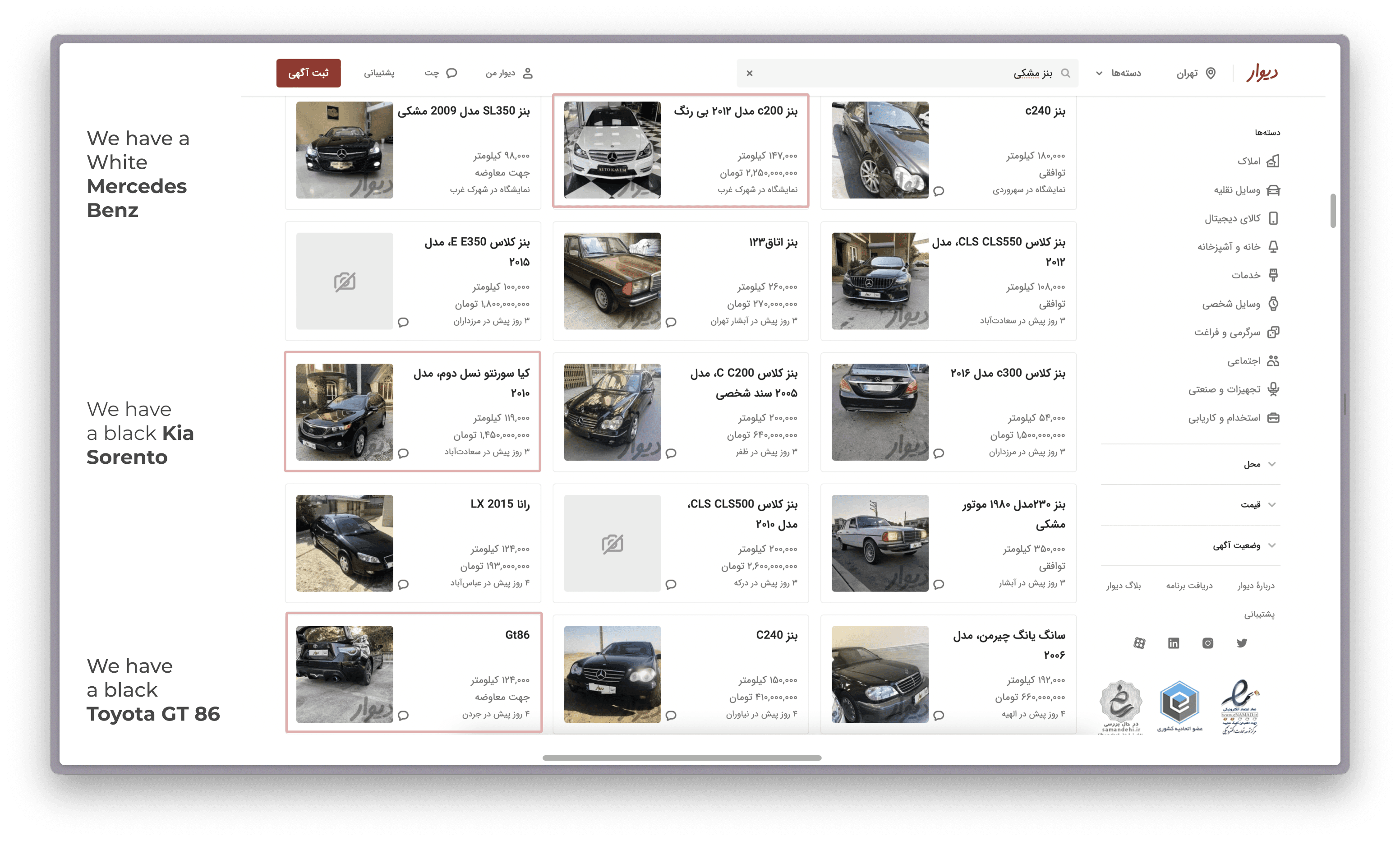
⚠️
Upon further inspection, we found the main problem that we are facing is:
⚠️
Our search system doesn't use any factors of the posted Ad; It just runs the search query through the Title or the written description of the ad.
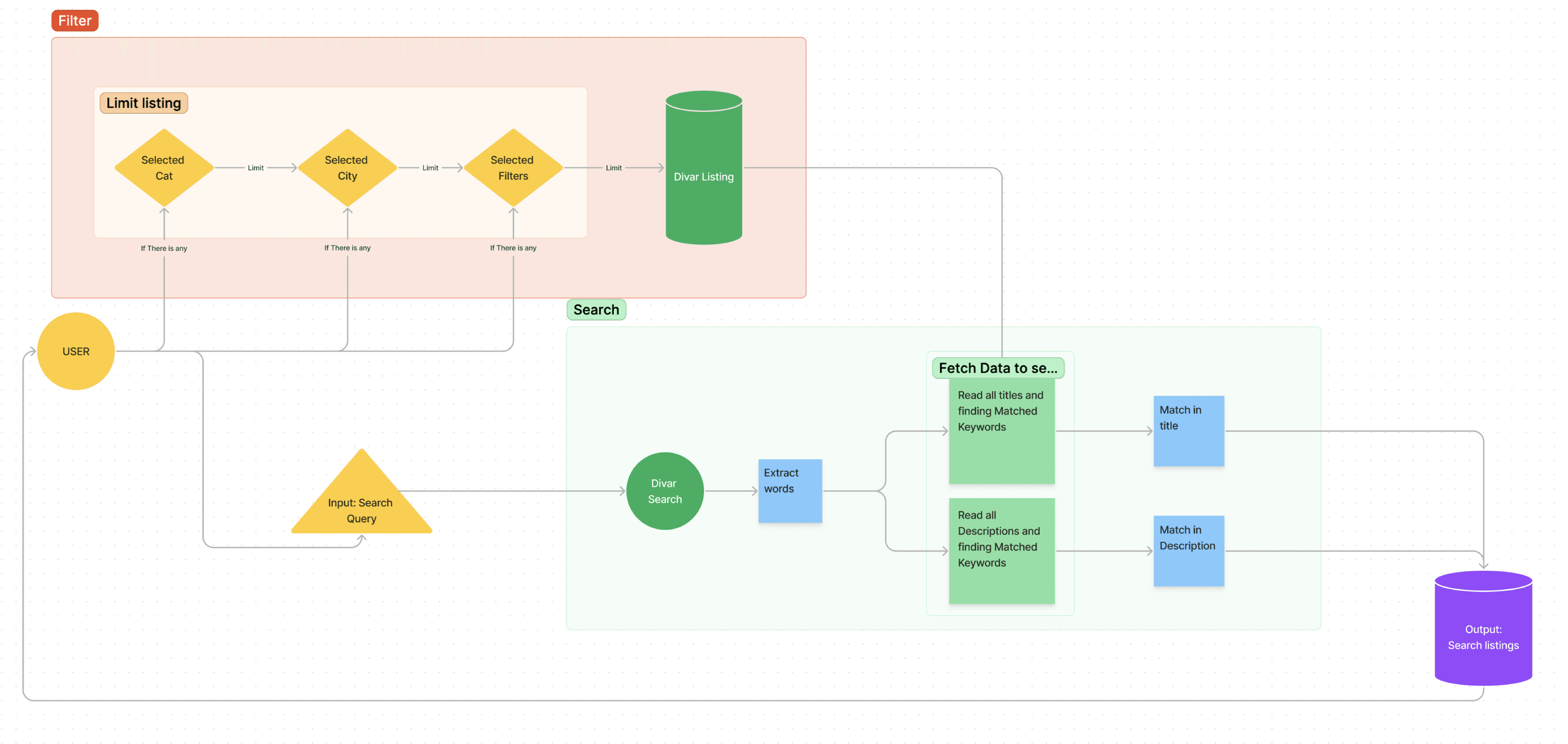
Further research
Upon further research, reading comparative case studies from Amazon, eBay, and other marketplaces, and talking with the Google search engine UX design team, I discovered this problem also exists in their products.
My next step was to research UX and discover why users like to search more than filter the results to reach better and comparable results.
We assumed that our filters have usability issues and that users don't use them because of the findability or usability of the filter function.
I have conducted a usability study and found out that there is no usability issue in our product filter system.
Finding the main problem
Users have learned to search for everything they want on Google (googling it!). Using the search function of every product is the primary way of interacting with the products when they are looking for something.
🔎
Searching is becoming a mental model when you want to find or reach a list of products. If you want to buy a car, you Google its name to learn more about it.
Later on, you will search for that car in a vehicle marketplace. You don't select the car from the brands listed in the brand section of the website.
Solution
As a team, we worked closely with Divar's software engineering team to create an optimal solution that considers technical limitations, cost, hardware performance, and other relevant factors. Our efforts resulted in the following approach:
To improve the search experience for Divar's users, We used Machine learning and AI to suggest and/or apply filters to search queries automatically. We have analyzed over 100M queries and successfully tagged their exact categories and options with more than 99.7% accuracy in the first learning phase.
In the operational phase (Today), We use an automatic filtering system to match the queries with relevant filters, such as city names, brand or model names, or any specified category.
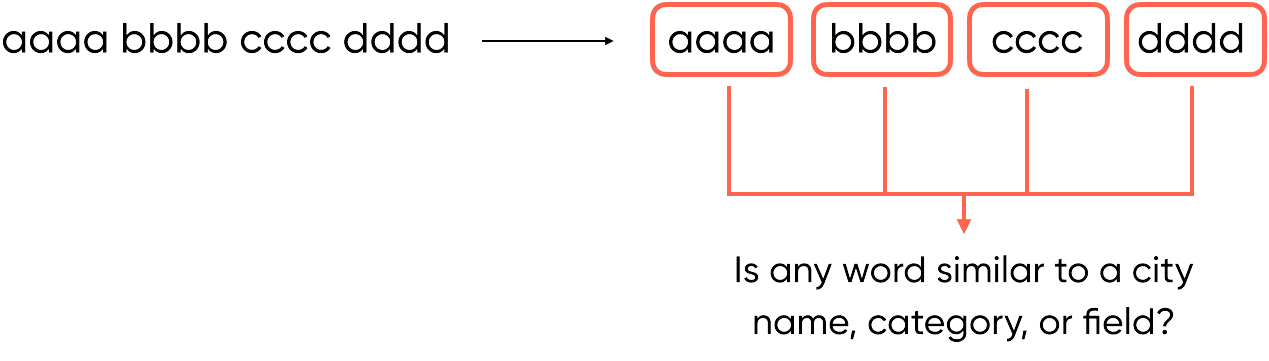
This helped users reach a curated results page with more products related to the query.
Design Changes
Search component
Onboarding
Upon opening chat for the first time
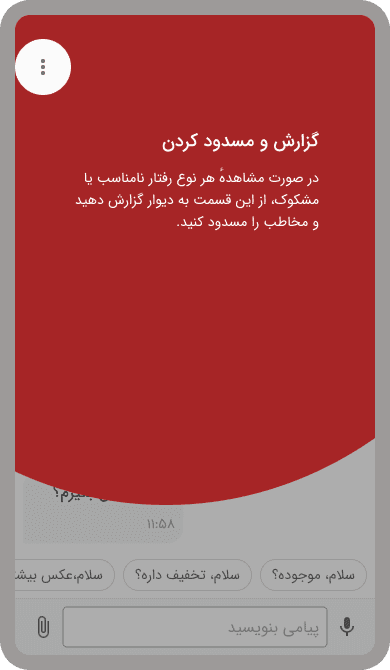
We have added an onboarding for new users. This onboarding will show to every user while they open the chat feature for the first time.
Using onboarding isn’t the most efficient way to fix this problem. They interrupt users and don’t let them do what they want to, so they try to skip reading them as soon as possible, and having an onboarding doesn’t help users.
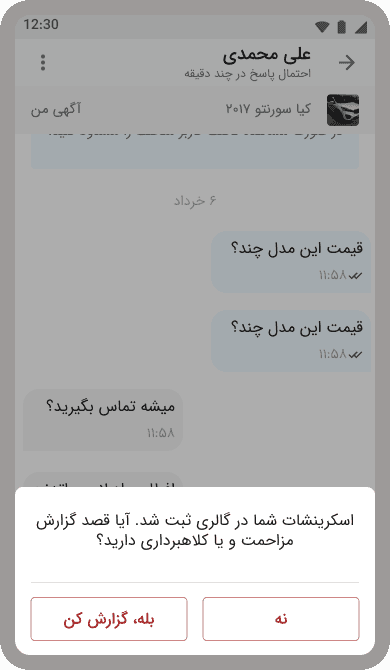
Prompt user to Report
Upon taking an screenshot in a chat
In our observation, a huge segment of users takes screenshots while countering a problem or issue in chat.
Upon taking a screenshot, We show a bottom sheet saying that your screenshot has been successfully saved on your gallery, and ask them if there is any problem; they can report the chat by using a CTA shortcut on the bottom sheet or dismiss the prompt.
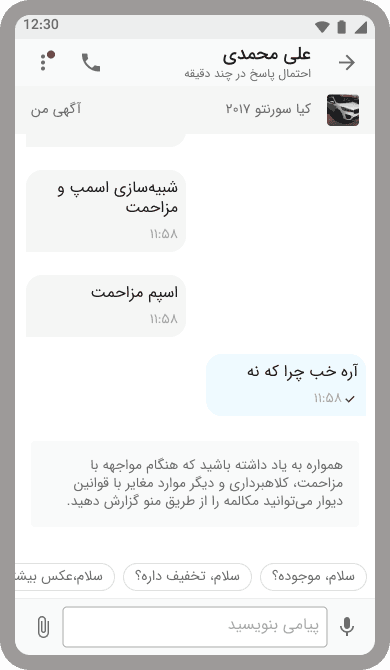
Inline Hint
While a suspicious pattern detected
Another way that we can inform users that they can report others is directly in the chat itself. When we detect inappropriate behavior or use of suspicious patterns or wordings, We show a prompt that reminds users that they can report this chat and add an indicator beside the kebab menu button to attract user’s attention.
Introducing the new profile
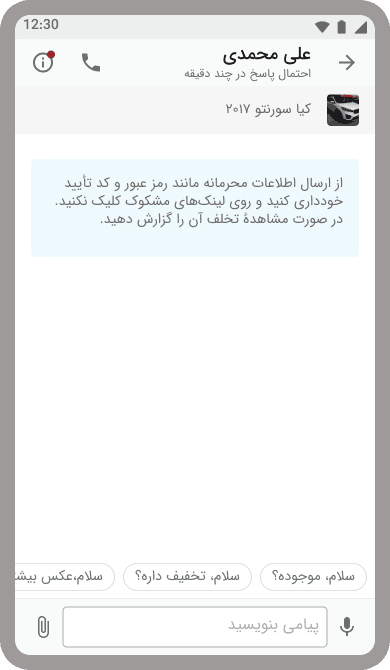
New icon
Based on usability
Instead of using the kebab menu, use an Info icon that may increase usage of this button instead of a regular hamburger menu.
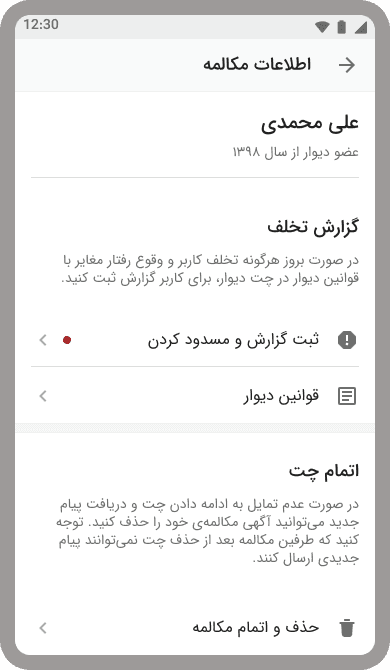
Better UX
Writing enhancement
We also Added information and description for each function so users can have a better chance of seeing and focusing on reporting or deleting the chat functions and what each can do.
As a bonus, we show our terms and chatting rules next to report CTA, So users have a way to know what kind of behaviors they can submit their report.
Prompt user
Based on AI
Another way that we can inform users that they can report others is directly in the chat itself. When we detect inappropriate behavior or use of suspicious patterns or wordings, We show a prompt that reminds users that they can report this chat and add an indicator beside the kebab menu button to attract user’s attention.
Results
Our research found that over half of the users were not aware of the reporting function and how to report suspicious activity within Divar chat. We analyzed the current design and identified assumptions, including users' lack of awareness and users not seeing or focusing on the reporting CTA. To address this, I added an onboarding screen for new users and prompt users to report suspicious activity upon taking a screenshot in chat. By improving the reporting flow and making it more visible to users, I was able to increase the number of legitimate user reports to reduce scams, disturbances, and spam messages on Divar's chat feature.